
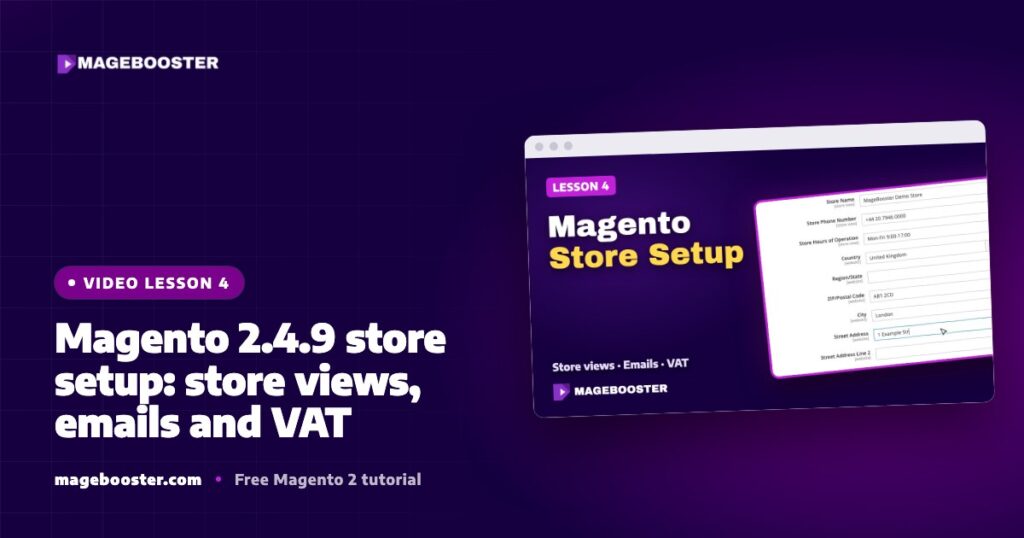
Magento mağaza kurulumu: websiteler, store view'lar, şirket bilgileri, e-postalar ve KDV
Her yeni Magento mağazasının ilk üründen önce ihtiyaç duyduğu ayarlar: website, store ve store view yapısı, yapılandırma kapsamları, General ayarları grup grup, faturalardaki şirket bilgileri, beş gönderen adresi, web ve çerez ayarları ve bir KDV oranı. Videodaki tüm değerler ve bunları komut satırından ayarlayan bir script.
İndirmeler
Değerler örnektir (MageBooster Demo Store, example.com adresleri, uydurma bir telefon ve KDV numarası). Scripti çalıştırmadan önce kendi bilgilerinizi girin.
Websiteler, store'lar ve store view'lar
└─ Main Website Store store · kök kategori
├─ Default Store View store view · kod default · İngilizce
└─ Almanca store view · kod de · yeni
Yeni kurulmuş bir Magento'da her birinden bir tane vardır. Bir website müşterileri (varsayılan olarak), fiyatları ve ödeme ayarlarını tutar; bir store kök kategoriyi belirler; bir store view genellikle tek bir dile karşılık gelir. Yeni store view için menü: Stores › All Stores › Create Store View:
| Alan | Değer | Not |
|---|---|---|
| Store | Main Website Store | Store view bu store'a bağlıdır. |
| Ad | Almanca | Dil seçicide görünür. |
| Code | de | Küçük harf, rakam ve alt çizgi. URL'lerde ve kodda kullanılır: canlı mağazada asla değiştirmeyin. |
| Status | Enabled | |
| Sort Order | boş | Dil seçicideki sıra. |
Kapsam seçici
Stores › Configuration, sol üstte: Scope. Default Config her şey için geçerlidir; website bunu geçersiz kılar, store view da kendi website'ını. Her alanın altındaki etiket, alanın hangi düzeye kadar değiştirilebileceğini gösterir:
| Etiket | Ayarlanabildiği düzey |
|---|---|
[global] | Yalnızca Default Config |
[website] | Default Config ve her website |
[store view] | Default Config, her website ve her store view |
Website veya store view kapsamında her alanın yanında bir Use Default veya Use Website kutusu vardır. İşaretliyse değer devralınır; yalnızca bu kapsam için değer girmek istiyorsanız işareti kaldırın. Videoda Almanca view'a ayrı bir ağırlık birimi verilir: Locale Options › Weight Unit, Use Website işaretini kaldırın, kgs seçin ve Save Config'e tıklayın.
Production modunda Locale: Locale alanı admin panelinde kilitlidir, çünkü her dilin kendi statik dosyaları gerekir. Değeri komut satırından ayarlayın ve dosyaları deploy edin:
cd /var/www/magento
# production mode locks the Locale field in the admin: set it for the German store view (code de) here
sudo -u magento bin/magento config:set --scope=stores --scope-code=de general/locale/code de_DE
# and build the static files for that language (here only the Luma storefront theme)
sudo -u magento bin/magento setup:static-content:deploy de_DE --area=frontend --theme=Magento/luma --jobs=4
sudo -u magento bin/magento cache:flush
Genel ayarlar, grup grup
Stores › Configuration › General › General beş gruptan oluşur:
| Grup | Alanlar | Videoda |
|---|---|---|
| Country Options | Default Country, Allow Countries, Zip/Postal Code is Optional for, European Union Countries, Top destinations | Default Country = United Kingdom |
| State Options | State is Required for, Allow to Choose State if It is Optional for Country | değiştirilmedi |
| Locale Options | Timezone, Locale, Weight Unit, First Day of Week, Weekend Days | Europe/London, kgs, Monday |
| Store Information | Store Name, Store Phone Number, Store Hours of Operation, Country, Region/State, ZIP/Postal Code, City, Street Address, Street Address Line 2, VAT Number | MageBooster Demo Store, +44 20 7946 0000, Mon-Fri 9:00-17:00, United Kingdom, AB1 2CD, London, 1 Example Street, GB123456789 |
| Single-Store Mode | Enable Single-Store Mode | No: yalnızca tek store view ile çalışır |
Store Information sizin şirket bilgilerinizdir: satış e-postaları bunları kullanır, temalar da mağaza vitrininde gösterebilir.
Belgelerde şirket bilgileri
| Nerede | Alan | Ne işe yarar |
|---|---|---|
| Sales › Sales › Invoice and Packing Slip Design | Logo for PDF Print-outs, Logo for HTML Print View, Address | PDF faturalar, sevk irsaliyeleri ve iade faturalarındaki logo ve adres. |
| Sales › Shipping Settings › Origin | Country, Region/State, ZIP/Postal Code, City, Street Address | Kargoların gönderildiği yer. Kargo firmaları ücretleri buna göre hesaplar. |
Mağaza e-posta adresleri
General › Store Email Addresses altında her biri Sender Name ve Sender Email içeren beş gönderen kimliği vardır:
| Kimlik | Videodaki örnek | Tipik kullanım |
|---|---|---|
| General Contact | MageBooster Demo Store · hello@example.com | bülten, genel mesajlar |
| Sales Representative | MageBooster Sales · sales@example.com | siparişler, faturalar, gönderiler, iade faturaları |
| Customer Support | MageBooster Support · support@example.com | hesap e-postaları |
| Custom Email 1 / 2 | boş | kendi amacınıza göre, ör. iade birimi |
Hangi e-postayı hangi kimliğin göndereceği, o e-postanın ayarlarının bulunduğu yerde belirlenir (şablonlar ilerideki bir derste):
| Ayar | Email Sender |
|---|---|
| Sales › Sales Emails › Order, Invoice, Shipment, Credit Memo | Sales Representative (varsayılan) |
| Customers › Customer Configuration › Create New Account Options | Customer Support (General Contact yerine) |
| Customers › Newsletter › Subscription Options: Confirmation and Success | General Contact |
Web ve çerez ayarları
General › Web:
| Grup | Alan | Değer | Neden |
|---|---|---|---|
| Url Options | Add Store Code to URLs | Hayır | Yes seçilirse store view kodu her linke eklenir: /de/.... |
| Search Engine Optimization | Use Web Server Rewrites | Evet | Şunu içermeyen URL'ler: index.php. |
| Base URLs / Base URLs (Secure) | Base URL, Use Secure URLs on Storefront, Use Secure URLs in Admin | https, Yes, Yes | Mağazanın adresleri; her yerde HTTPS. |
| Default Cookie Settings | Cookie Lifetime, Cookie Path, Cookie Domain, Use HTTP Only | 3600 (varsayılan), boş, boş, Yes | Oturum çerezi; HTTP only, scriptlerin bu çereze erişmesini engeller. |
| Default Cookie Settings | Cookie Restriction Mode | Evet | Çerez uyarısını gösterir; Magento "Allow Cookies" onayını bekler. |
Mağaza vitrininde çerez uyarısı sayfanın altında görünür, header'a da iki store view'u içeren bir dil seçici eklenir.
Bir KDV oranı
Stores › Tax Zones and Rates › Add New Tax Rate:
| Alan | Değer |
|---|---|
| Tax Identifier | UK VAT |
| Ülke | United Kingdom |
| Zip/Post is Range | Hayır |
| Zip/Post Code | * (tümü) |
| Rate Percent | 20 |
Vergi oranı tek başına bir şey yapmaz: Stores › Tax Rules onu ürün ve müşteri vergi sınıflarına bağlar. Bu konu ve fiyatların KDV ile nasıl gösterileceği KDV dersinde anlatılıyor.
Sorun giderme
| Belirti | Neden ve çözüm |
|---|---|
| Locale alanı store view'da gri görünüyor | Production modu bu alanı kilitler. Yukarıdaki config:set ve setup:static-content:deploy komutlarını kullanın. |
| New Tax Rate sayfası boş (yalnızca butonlar görünüyor) | PHP 8.5 kullanan Magento 2.4.9 test mağazamızda, ikinci bir store view oluşturulduktan sonra görüldü: form bir PHP deprecation hatasında duruyor (var/log/exception.log: "Using null as an array offset", Data/Form.php). KDV oranlarını ikinci store view'dan önce ekleyin ya da REST API üzerinden ekleyin (POST /rest/V1/taxRates). |
| Çerez uyarısı görünmüyor | Full page cache: bin/magento cache:flush, ardından sayfayı yenileyin. Cookie Restriction Mode ayarını website kapsamında da kontrol edin. |
| Bir ayar bir store view'da etkili olmuyor | Daha dar bir kapsam onu geçersiz kılıyor: kapsamı o website veya view'a çevirin ve işareti kaldırılmış bir Use Website kutusu arayın. |
| E-postalar yanlış adresten geliyor | O e-postanın Email Sender ayarını (Sales Emails, Customer Configuration, Newsletter), ardından Store Email Addresses'taki kimliği kontrol edin. |
Neyin hangi kapsamda ayarlandığını görün:
cd /var/www/magento
# what is set, and at which scope
sudo -u magento bin/magento config:show general/store_information
sudo -u magento bin/magento config:show --scope=stores --scope-code=de general/locale
Sonraki ders
Multisite: üç alan adında üç website; magento-vars.php ile nginx her alan adı için doğru website'ı açar.
▶ Tüm MageBooster derslerini YouTube’da izleyin: sırayla tüm dersler · kanala abone olun

 English
 German
 Dutch
 Turkish