
Free Magento Course · Module 3: Product information with UnoPim · Lesson 3.2
What you will learn
- How Akeneo concepts map to UnoPim: families, product models, variants and media
- The order in which to move data so that nothing breaks
- Why a value-by-value comparison is the only real proof of a migration
- The traps we met in a real test, and how to avoid them
Why teams move from Akeneo to UnoPim
Akeneo has been the default open source PIM for Magento stores for years. UnoPim is a newer open source PIM built on Laravel, released under the MIT licence, with AI content tools, a REST API and a Digital Product Passport module built in. The reasons we hear for a move are practical: a self-hosted PIM without licence fees, a modern stack, and AI help for texts and translations. We compare both systems in detail in UnoPim as an Akeneo alternative. This lesson is about the move itself.
Everything below comes from a real feasibility test we ran for a client catalog: one product from every family, moved from Akeneo to UnoPim through both APIs and then checked value by value. In that test 150 families, 172 product records and about 3,000 files were moved, and all 64,660 product values arrived. Getting there, however, meant fixing several problems that only the comparison revealed.
Step 1: map the data model
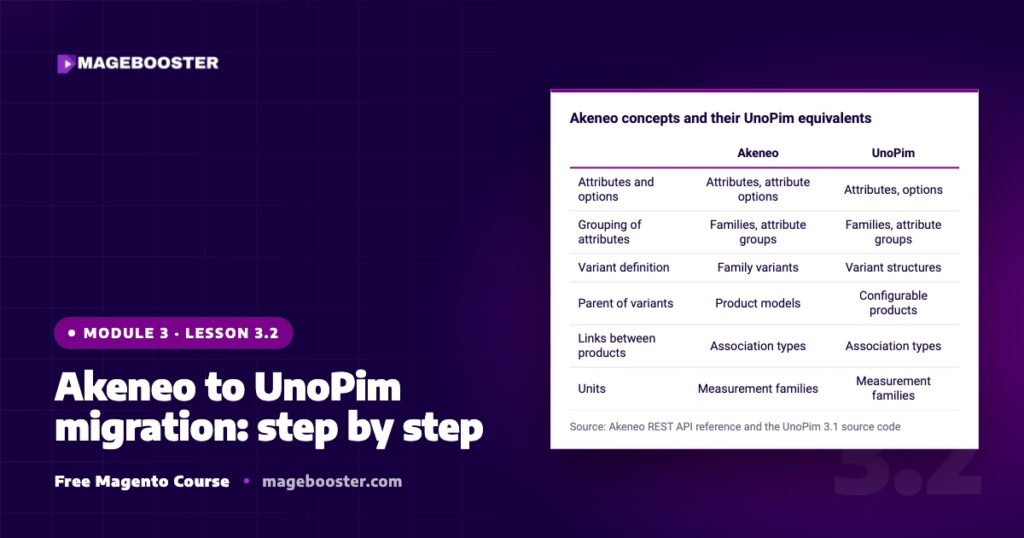
The good news is that the two systems think about product data in a very similar way. Both use attributes with options, families that group attributes, categories, channels, locales and currencies. The names differ in a few places, and you need to know them before you write a single line of import code.
| Akeneo | UnoPim | |
|---|---|---|
| Attributes and options | Attributes, attribute options | Attributes, options |
| Grouping of attributes | Families, attribute groups | Families, attribute groups |
| Variant definition | Family variants | Variant structures |
| Parent of variants | Product models | Configurable products |
| Links between products | Association types | Association types |
| Units | Measurement families | Measurement families |
Source: Akeneo REST API reference and the UnoPim 3.1 source code
Two things need a decision up front. First, Akeneo’s reference entities and asset families (paid editions) have no one-to-one match; files usually become file or image attributes, or go into the free UnoPim DAM extension. Second, write down every locale and channel you use. UnoPim stores values per channel and locale just like Akeneo, so the mapping has to be exact.
Step 2: move the data in the right order
Install UnoPim first on a test server; our UnoPim installation guide covers that. Then read everything from the Akeneo REST API into local files, so you can rerun the import without touching Akeneo again. Load the data into UnoPim through its REST API in this order, because every layer depends on the one before it:
Associations come last because both ends of a link must exist. In our test only part of the associations could be linked, simply because their target products were not in the test selection. That is expected in a trial and will resolve in the full run.
Step 3: compare every value
A migration that reports “0 errors” is not finished. Write a script that reads each product from both systems and compares every attribute, per channel and locale. Our rule was simple: copy Akeneo exactly as it is. An empty value stays empty, and a German text for Switzerland may legitimately differ from the one for Germany. Only differences that the comparison cannot explain are bugs.
The traps we met
- HTML in descriptions. UnoPim cleans rich text with an HTML purifier. Tags that Akeneo accepted, such as
divorspan, and HTML pasted from Word were changed or removed. We adjusted the purifier settings and then checked the rendered text in a real browser. - Variant axes. In our test, measurement attributes (for example a volume) could not be used as variant axes in UnoPim, so a few variant structures needed a different design.
- File rules. Each file or image attribute in UnoPim has its own allowed extensions and maximum file size, and uploads are scanned. Check these limits against your largest PDFs and images before the full run.
- File names and duplicates. Clean unusual file names, and only reuse an identical file within the same product and attribute, otherwise UnoPim may reject the media path.
Settings you change for a migration, such as purifier rules or upload limits, are part of your installation. Document them and reapply them after every UnoPim upgrade.
Step 4: plan the switch
Start with one product per family, as we did. It touches every structure with little data and shows the problems early. Then run the full catalog on the test server, compare again, and connect your store. On switch day, freeze editing in Akeneo, run a final delta import, and keep Akeneo read-only as a fallback for a few weeks.
Key takeaways
- Akeneo and UnoPim share the same core ideas; variant definitions and product models just have different names.
- Move structure first, then products and media, and associations last.
- Only a value-by-value comparison per channel and locale proves that nothing was lost.
- Test with one product per family before the full run, and keep Akeneo read-only after the switch.
Check yourself
What is an Akeneo “family variant” called in UnoPim?
A variant structure. Akeneo product models become configurable products in UnoPim.
Why are associations imported last?
Because a link needs both products to exist already. If the target product is missing, the association cannot be created.
The import finished with 0 errors. Is the migration done?
No. Compare every value per channel and locale with Akeneo. Changes such as cleaned HTML only show up in that comparison.
Sources
- api.akeneo.com/api-reference-index.html
- github.com/unopim/unopim
- devdocs.unopim.com/3.1/introduction/installation.html
- github.com/unopim/unopim/blob/3.x/CHANGELOG.md
Need help with this?
Planning a move from Akeneo? As an official UnoPim partner, we run the test migration and the value-by-value check for you. See our UnoPim services or leave your details below.

 English
 German
 Dutch
Dutch Turkish