
Free Magento Course · Module 1: Magento basics · Lesson 1.1
What you will learn
- What Magento is and what kind of store it is built for
- The three ways to run Magento today: Open Source, Adobe Commerce and Mage-OS
- The key dates, from Magento 1 to the support end of 2.4.9
- How to decide whether Magento is the right platform for you
Magento in one paragraph
Magento is an e-commerce platform written in PHP. You install it on your own server (or a server you rent), and it gives you a complete online store: a product catalog, a cart and checkout, customer accounts, orders, invoices, promotions and an admin panel to run it all. Unlike hosted services such as Shopify, you own the code and the data, and you can change anything. That freedom is the reason large and fast-growing stores choose Magento, and it is also the reason Magento needs more care than a hosted shop.
Magento is strongest when a store has a large or complex catalog, sells in several countries or languages, sells to businesses as well as consumers, or needs to connect to systems such as an ERP or a PIM. For a small shop with a few dozen products, a hosted platform is often the simpler choice. We come back to that decision at the end of this lesson.
A short history
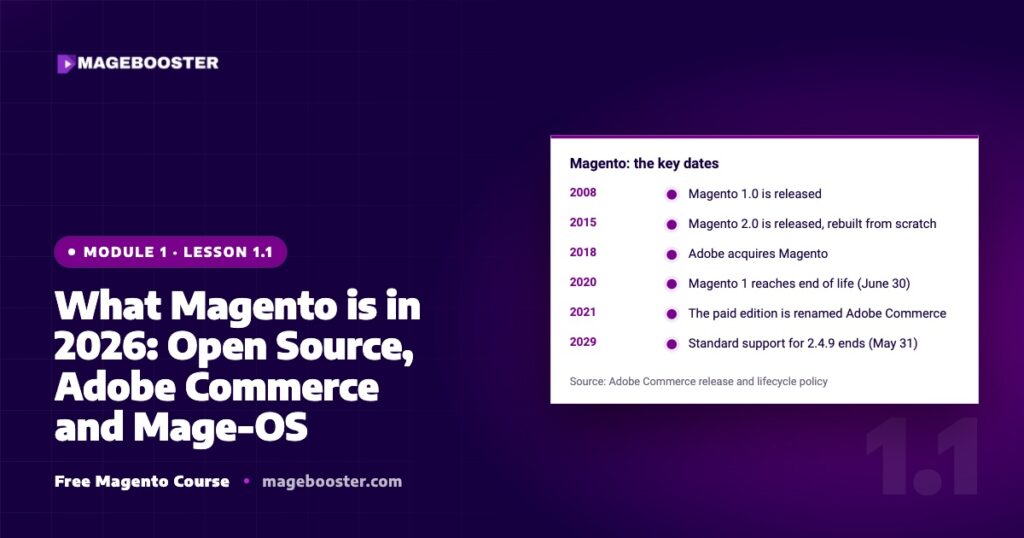
Magento 1 launched in 2008 and quickly became one of the most used open source shop systems. Magento 2 followed in 2015 as a rebuild, not an update, with a new architecture, a new checkout and a new admin. Adobe bought Magento in 2018, and in 2021 the paid edition was renamed Adobe Commerce. Magento 1 reached its end of life on June 30, 2020. Today every supported store runs on Magento 2, in the 2.4 release line.
Source: Adobe Commerce release and lifecycle policy
The three ways to run Magento today
Magento Open Source
The free edition, released by Adobe under the Open Software License (OSL 3.0). It has everything a typical store needs: the catalog, checkout, promotions, multiple websites and languages, Page Builder, REST and GraphQL APIs. There is no licence fee. You pay for hosting, development and maintenance, either in-house or with a partner.
Adobe Commerce
The paid edition, built on the same code plus extra modules: B2B features such as company accounts, shared catalogs and quotes, customer segments, content staging, and Adobe services such as Live Search. It comes with official support from Adobe and can run on Adobe’s cloud infrastructure. The licence is priced per store, usually based on revenue, so the cost is agreed with Adobe directly.
Mage-OS
A free distribution of Magento Open Source run by the community, through the non-profit Mage-OS Association. It stays compatible with Magento Open Source, so themes and extensions keep working, and it adds its own improvements and release planning. It suits stores that want an open, community-governed future for their platform. Read our Mage-OS overview for the details.
| Open Source | Adobe Commerce | Mage-OS | |
|---|---|---|---|
| No licence fee | ✓ | ✕ | ✓ |
| Official support from Adobe | ✕ | ✓ | ✕ |
| Page Builder | ✓ | ✓ | ✓ |
| B2B module (company accounts, quotes) | ✕ | ✓ | ✕ |
| Customer segments and content staging | ✕ | ✓ | ✕ |
| Hosting on Adobe’s cloud | ✕ | ✓ | ✕ |
| Run by a community association | ✕ | ✕ | ✓ |
For a deeper comparison with all the trade-offs, see Mage-OS vs Magento Open Source vs Adobe Commerce.
What you need to run a Magento store
- A server with the right versions of PHP, MySQL or MariaDB, OpenSearch, Redis or Valkey, and ideally Varnish. Shared hosting is rarely enough.
- A theme for the storefront: the default Luma theme, a faster Hyvä theme, or a custom design.
- Extensions for payments, shipping and anything the core does not cover, chosen carefully.
- A maintenance routine: security patches, backups, monitoring and updates. This is the part that is most often forgotten.
Each of these gets its own lesson later in this course: hosting in module 4, speed in module 5, security and updates in module 8, and themes in module 9.
Is Magento right for you?
Ask yourself four questions. Do you have more than a few hundred products, or products with many variants and attributes? Do you sell in more than one country, language or currency? Do you sell to businesses with their own prices or terms? Do you need to connect the store to other systems? If you answer yes to two or more, Magento is a strong candidate. If you answer no to all four, start with something simpler, and come back when the store outgrows it.
Already on Magento and unsure about your version or setup? Our free Magento audit tells you where you stand.
Key takeaways
- Magento is a self-hosted PHP e-commerce platform: you own the code and the data.
- Today it comes as Magento Open Source (free), Adobe Commerce (paid, with Adobe support) and Mage-OS (free, community-run).
- Magento 1 has been unsupported since June 30, 2020; supported stores run Magento 2.4.
- Magento fits large catalogs, several markets, B2B and integrations; small shops are often better off with something simpler.
Check yourself
Which Magento edition has no licence fee and official Adobe support?
None. Magento Open Source and Mage-OS are free but come without Adobe support; Adobe Commerce has Adobe support but needs a paid licence.
Can a store still run safely on Magento 1?
No. Magento 1 has had no official security patches since June 30, 2020. The way forward is a migration to Magento 2.
Will my Magento Open Source extensions work on Mage-OS?
In general, yes. Mage-OS stays compatible with Magento Open Source, but test every extension on a staging copy before you switch.
Sources
- experienceleague.adobe.com/en/docs/commerce-operations/release/planning/lifecycle-policy
- business.adobe.com/products/magento/open-source.html
- mage-os.org
Need help with this?
This lesson is part of our free Magento course. If you would rather have it done for you, leave your details below and we will look at your store for free.

 English
 German
 Dutch
Dutch Turkish