
Hyvä now runs natively on Magento 2.4.9 and on Mage-OS. We have tested both. What this means for your store →
In short
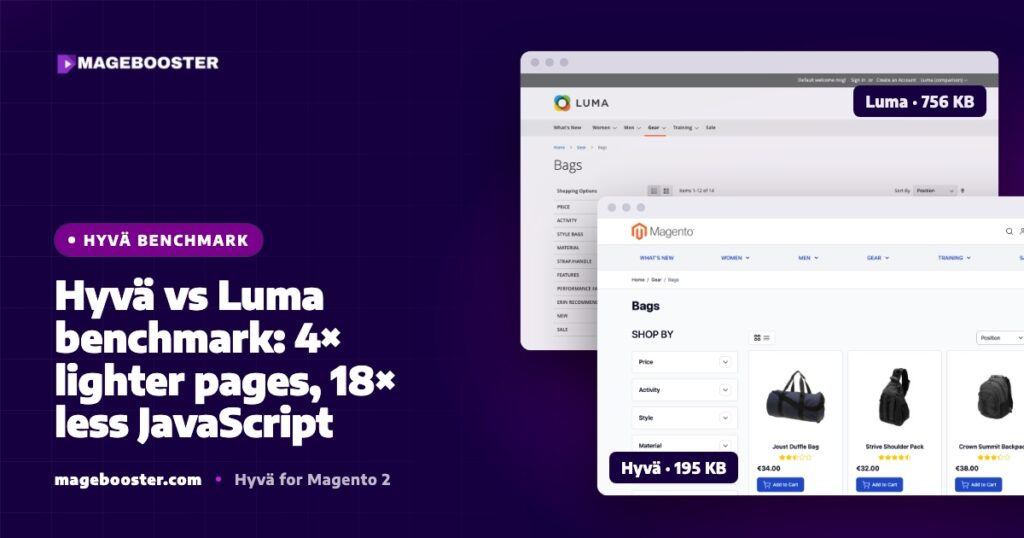
On the same server and catalogue, clean Hyvä pages were about 4 times lighter than Luma, made 13 to 18 times fewer requests and shipped 18 to 20 times less JavaScript. Mobile LCP was about 35% faster. Lighthouse scores were closer than the weight suggests, because the real difference is load, not the lab score.
Most Hyvä vs Luma comparisons compare a fresh Hyvä store with an old, heavily customised Luma store. That makes Hyvä look great, but it does not tell you what the frontend itself changes.
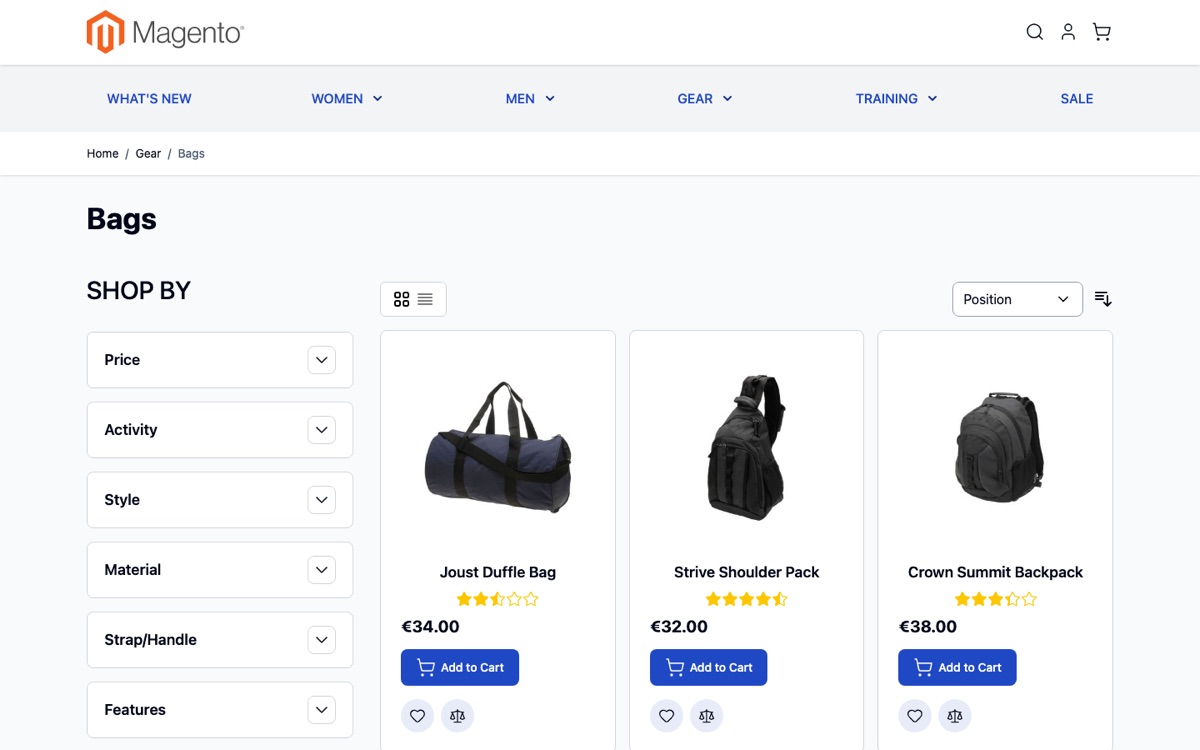
We wanted a fair test. So we put both frontends on the same server, with the same catalogue, and measured the same pages.
How we tested
The setup was deliberately boring, so that the only variable was the theme.
- A clean Magento 2.4.9 installation with Hyvä 1.5.2, compared with Magento’s own Luma theme.
- The same server, the same catalogue and the same configuration for both.
- Three page types: home, category and product.
- Lighthouse 13, using the median of 3 mobile runs plus 1 desktop run per page.
We ran Lighthouse from the command line in headless Chrome with a normal browser user agent. Our nginx blocks bot user agents, and a blocked test returns a 403 page that produces a fake, meaningless score.
We also purged and warmed the cache before each series, and tested the real URLs behind the CDN. The full method is in our post on how we test Hyvä speed with Lighthouse.
The results
| Metric | Hyvä | Luma |
|---|---|---|
| Page weight (home / category / product) | 226 / 195 / 206 KB | 962 / 756 / 805 KB |
| Requests per page | 15–19 | 251–275 |
| JavaScript per page | ~26 KB | 463–524 KB |
| Mobile LCP | 1.5–1.6 s | 2.3–2.5 s |
| Mobile Lighthouse score | 93–100 | 88–99 |
| Desktop Lighthouse score | 99–100 | 97–100 |
In short, Hyvä pages were about four times lighter. They made roughly 13 to 18 times fewer requests. They shipped roughly 18 to 20 times less JavaScript. Mobile LCP was about 35% faster.
Where the weight comes from
The gap is mostly JavaScript and the number of files.
A Luma page loads RequireJS, which then loads jQuery, KnockoutJS, jQuery UI widgets and a long list of small modules. Each module is a separate request unless you bundle them, and bundling in Luma is notoriously hard to get right.
A Hyvä page loads Alpine.js and the small amount of page-specific script written directly into the templates. Styles come from one Tailwind CSS file that contains only the classes the theme actually uses.
That is why the request count drops from more than 250 to under 20. It is also why the JavaScript drops from around half a megabyte to around 26 KB.
We explain the two stacks side by side in how Alpine.js and Tailwind replace RequireJS and Knockout.
The honest part: Luma scored well too
Look at the Lighthouse row again. A clean Luma theme scored between 88 and 99 on mobile.
That is not a mistake. A clean Luma store in production mode, on a fast server, behind Cloudflare, with nothing else installed, can score well in a lab test.
Real Luma stores rarely look like that. They run extensions, tracking scripts, chat widgets and review widgets, and each of them adds more JavaScript on top of an already heavy base.
So the useful conclusion is not that Hyvä gets a higher score. The useful conclusion is that Hyvä starts from a much lighter base, which leaves room for the things a real store needs.
Why lab scores understate the difference
Lighthouse simulates a mid-range phone on a throttled connection. It is a good, repeatable tool, but it is still a simulation on a fast computer.
On a real low-end phone, half a megabyte of JavaScript has to be downloaded, parsed and executed by a slow processor. That work blocks the main thread and delays every tap.
That is where Interaction to Next Paint, or INP, suffers. A shopper who taps “Add to cart” and waits feels the difference, even if the lab score looked fine.
With around 26 KB of JavaScript, a Hyvä page simply has much less to process. Our Core Web Vitals checklist for Magento 2 covers the other levers for LCP and INP.
What this means for a real store
A benchmark on a clean installation is a starting point, not a promise. Your own numbers depend on your extensions, images, scripts and server.
Here is what we have seen on real work:
- On a client store, a German shop selling in 9 countries, the mobile Lighthouse product page moved from 72 to 94 after the move to Hyvä. The category page moved from 88 to 95. These are our measurements on the staging build.
- On our own Hyvä demo store, with real product images, two store views and an international checkout, we measured 96 on home, 90 on category and 92 on product pages on mobile. Desktop was 100, 100 and 98.
The demo store numbers are lower than the clean benchmark because it carries real content. That is normal, and it is exactly why we measure every store individually.
How to use these numbers
If you are weighing up a move, do not compare your live Luma store with a vendor’s Hyvä demo. Compare like with like.
- Measure your current home, category and product pages with a consistent method.
- List your extensions and third-party scripts, because they decide how much of the gain you keep.
- Check your server and cache setup, because Hyvä cannot fix a slow backend.
- Only then estimate what Hyvä would change for your store.
When we build a Hyvä store, we commit to a minimum mobile Lighthouse Performance score of 89 at launch for home, category and product pages. This applies on a Hyvä-optimised server and with the images and scripts agreed in the project plan.
FAQ
Why did you test a clean Luma instead of a real store?
A clean installation isolates the effect of the frontend itself. Real stores add extensions and scripts on top, which usually widens the gap.
Does Hyvä always score higher in Lighthouse?
Not always by a large margin. The bigger and more reliable difference is page weight, request count and JavaScript, which affect real shoppers more than the lab score shows.
Is a 35% faster LCP noticeable?
Yes, especially on mobile. In our test, mobile LCP went from about 2.3 to 2.5 seconds on Luma to about 1.5 to 1.6 seconds on Hyvä.
Want the same comparison for your own store? See our Luma vs Hyvä comparison and how we plan a Hyvä move on the Hyvä theme development page.

 English
 German
 Dutch
Dutch Turkish