
In short
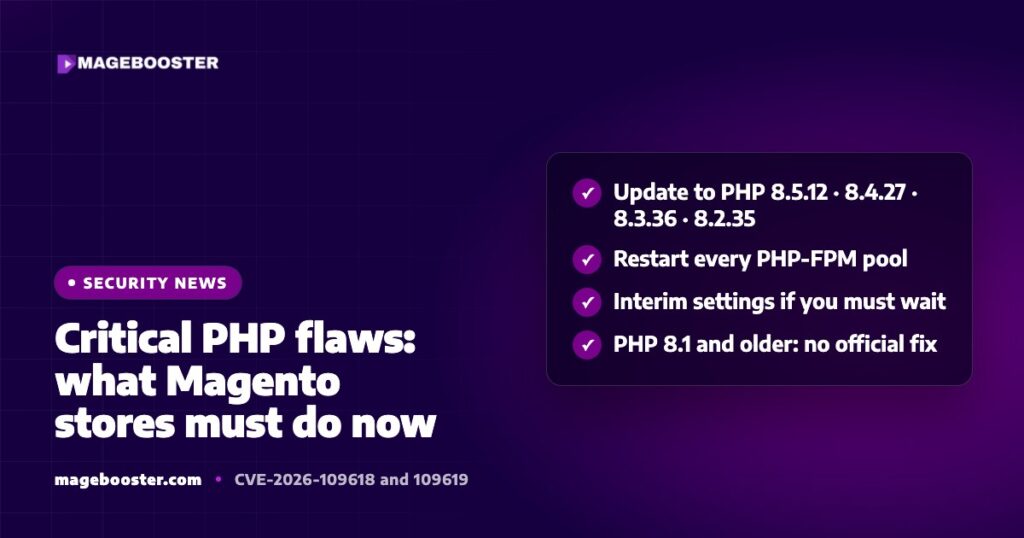
On 21 October 2026 the PHP project released PHP 8.5.12, 8.4.27, 8.3.36 and 8.2.35. They fix two critical flaws in the PHP engine itself, CVE-2026-109618 and CVE-2026-109619, that can let an attacker run code on your server without logging in. Every Magento store runs on PHP, so every store needs this update. A Magento patch or a firewall rule does not fix it, only a new PHP version does.
What happened
Details of the two vulnerabilities became public on 20 October, one day before the planned fix. The PHP security team rates both as critical, with a CVSS 4.0 score of 9.2. Security firms report that proof-of-concept exploit code is already circulating and that the first attacks have been seen, so this is not an update to leave for next month.
The first flaw, CVE-2026-109618, is in the way PHP handles running out of memory. PHP can stop while request data is only half set up and later treat that broken data as valid. The second, CVE-2026-109619, leaves internal data from one request pointing to memory that has already been freed, and the next request handled by the same PHP worker can use it.
Who is affected
Every PHP installation that serves web requests: PHP-FPM, Apache with mod_php, php-cgi, FrankenPHP and LiteSpeed. The PHP team sees the highest risk with mod_php, where a demonstrated attack works with a single request before any application code runs. Most Magento servers use PHP-FPM, which is a lower risk, but it is still affected.
Because the bug sits in PHP and not in Magento, a web application firewall, a Cloudflare rule or an nginx setting cannot block it reliably. The PHP team says plainly that updating is the only complete solution.
Which PHP version your Magento needs
| Magento / Adobe Commerce | Supported PHP | Update PHP to |
|---|---|---|
| 2.4.9 | 8.5 | 8.5.12 |
| 2.4.8 | 8.4 or 8.3 | 8.4.27 or 8.3.36 |
| 2.4.7 | 8.3 or 8.2 | 8.3.36 or 8.2.35 |
| 2.4.6 | 8.2 or 8.1 | 8.2.35 (on 8.1: no official fix, upgrade needed) |
| 2.4.5 and 2.4.4 | 8.1 | No official fix, upgrade needed |
Stores on Magento 2.4.4, 2.4.5, or 2.4.6 with PHP 8.1 are the most exposed. PHP 8.1 and older no longer get releases from the PHP project. The PHP team has published minimal source fixes for 8.1, 8.0 and 7.4 for people who build PHP themselves, and some Linux vendors backport the fix, but the safe way out is to move to a supported Magento and PHP version.
Also note that PHP 8.2 reaches end of life on 31 December 2026. If your store runs on 8.2 today, plan the move to Magento 2.4.8 with PHP 8.4, or straight to 2.4.9 with PHP 8.5.
How to update PHP
- Find out which PHP version your store really uses. The command line and PHP-FPM can be different versions, so check both.
- Install the updated packages from your Linux distribution or from the repository you use for PHP. Linux distributions received the fix in advance, so their packages are usually already available.
- Restart every PHP-FPM pool or Apache, not only reload. Old PHP processes keep running the vulnerable code until they are replaced.
- Check the version again. It must show 8.5.12, 8.4.27, 8.3.36 or 8.2.35 or newer, or a vendor build that states it includes the fix.
- Test the store: home page, a category, the cart, a test order up to the payment step, the admin panel, cron and the indexers.
Example for Ubuntu or Debian with PHP 8.4. Change the version number to the one you run:
php -v
php-fpm8.4 -v
sudo apt update
sudo apt install --only-upgrade 'php8.4*'
sudo systemctl restart php8.4-fpm
php -v
On AlmaLinux, Rocky Linux or RHEL with packages from the Remi repository: the PHP team warns that this volunteer repository will not have the update on the release day. Switch to your distribution’s packages or build PHP from source so that you are not left waiting.
If you cannot update today
The PHP team lists a few settings that close the known attack paths. They lower the risk until the update is in place, but they do not make the server safe. Put them in the PHP-FPM pool with php_admin_value so that no application can override them, then restart every worker:
; PHP-FPM pool, e.g. /etc/php/8.4/fpm/pool.d/www.conf
php_admin_value[memory_limit] = -1
php_admin_value[post_max_size] = 32M
php_admin_value[upload_max_filesize] = 16M
php_admin_value[session.upload_progress.enabled] = 0
; PHP 8.5 only
php_admin_value[fatal_error_backtraces] = 0- memory_limit = -1 removes the memory error that the first flaw depends on. Check that no other pool, folder or Magento setting brings a limit back. A memory limit on the service or container, for example with systemd or Docker, keeps one runaway process from taking the whole server down.
- A low post_max_size limits how large a request can grow. Magento needs uploads for product images, so 32M is a sensible value; keep upload_max_filesize below it.
- Turning off session.upload_progress blocks the known path of the second flaw. Magento does not use this PHP feature, so the store keeps working without it.
- Do not use ini_set() or a .user.ini file for these settings. They are applied too late to help.
One more check for Magento
Fatal errors and timeouts that a visitor can trigger make the second flaw easier to reach. Look at your PHP-FPM and Magento exception logs for repeated fatal errors, for example from broken extensions, imports or payment callbacks, and fix them. Hiding errors with display_errors does not help.
Our advice
Update PHP today, not this week. Start with stores that are open to the internet and use mod_php or an end-of-life PHP version. If you run Magento 2.4.6 or older on PHP 8.1, treat this as the moment to plan the upgrade: the next critical PHP bug will not get a fix for your version at all.
For protection beyond this one patch, our Magento security service keeps your store patched and hardened.
Need help? MageBooster updates PHP on your Magento server, adds the interim settings where an update has to wait, tests checkout, admin and cron afterwards, and plans the upgrade if your PHP version is no longer supported. Send us your Magento and PHP version and we reply the same business day.
Get help with the PHP update →

 English
 German
 Dutch
 Turkish