
Hyvä now runs natively on Magento 2.4.9 and on Mage-OS. We have tested both. What this means for your store →
In short
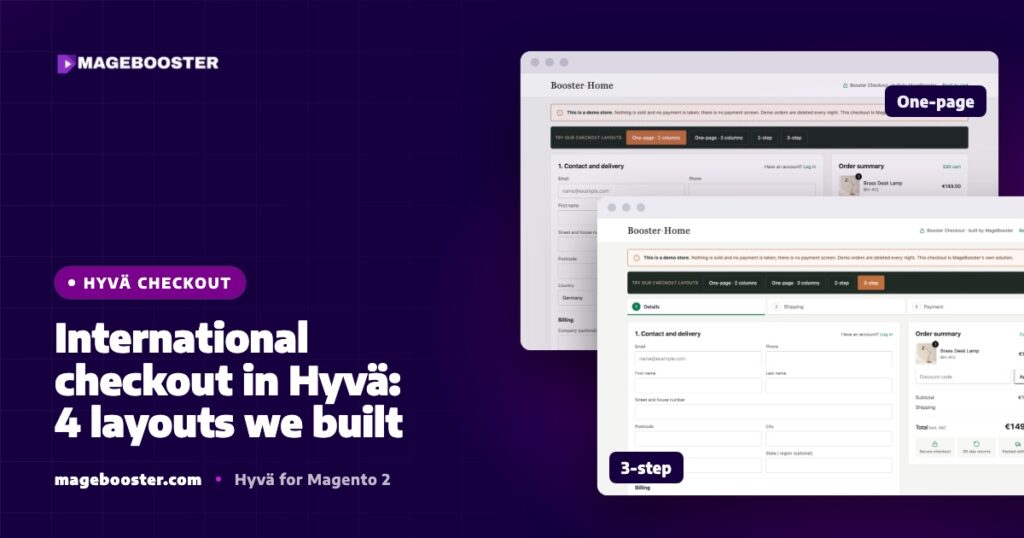
There is no single best checkout for every European market. On our Hyvä demo store we built an international checkout with four layouts: one-page in 2 or 3 columns, 2-step and 3-step. The layout matters, but address rules, payment methods, translations and security headers per country matter just as much.
A checkout that works well for one country can feel wrong in the next. Address formats differ, customers expect different payment methods, and some markets need fields that others never show.
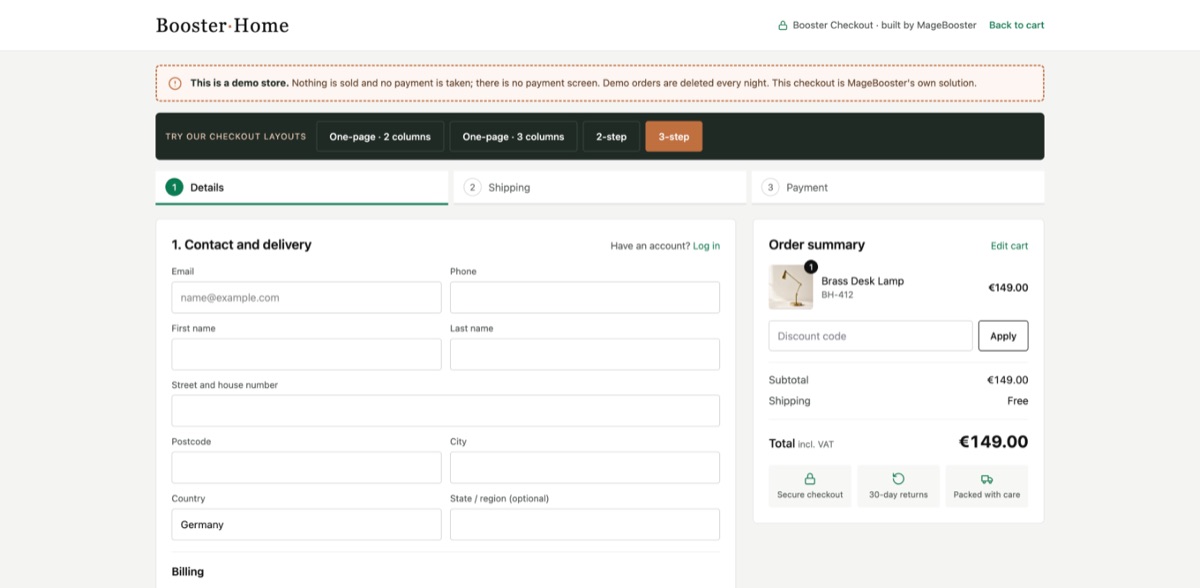
When we built our Hyvä demo store, with English and German store views, we wanted a checkout that could serve several countries from one codebase. We ended up with four layout variants. This post explains what we built, why, and what we learned along the way. It also explains how this fits the checkout options we offer to clients.
The checkout choices on Hyvä
Hyvä replaces the Luma frontend, and the standard Luma checkout is built on the same KnockoutJS and RequireJS stack that Hyvä removes. A Hyvä store therefore needs a checkout strategy.
- Hyvä Checkout is the official checkout from the Hyvä team, built on Magewire. It renders on the server and updates parts of the page without a heavy JavaScript framework.
- A Luma-based checkout, such as a proven one-page checkout extension, can run next to a Hyvä theme. This is a safe choice when a payment module is not Hyvä-ready yet.
- A custom layout on top of a Hyvä-based checkout, which is what our own templates are.
We compared these options in detail in is Hyvä Checkout worth it. In this post we focus on layout and on the international details.
The four layouts we built
On the demo store, the international checkout is one form with four layouts. The blocks stay the same in every layout. Only the CSS grid changes, together with which blocks each step shows.
| Layout | How it flows | Where it fits |
|---|---|---|
| One-page, 2 columns | Address and shipping on the left, payment and order summary on the right | Small baskets and returning customers |
| One-page, 3 columns | Address, shipping and payment side by side on wide screens | Desktop-heavy stores that want everything in view |
| 2-step | Shipping first, then payment | Most stores, short and clear |
| 3-step | Details, shipping and payment as separate steps | Larger baskets and B2B buyers who want guidance |
Having several layouts on one store let us test the same products, the same payment methods and the same store views across different flows. It also showed us that the layout is rarely the hardest part.
Addresses differ more than you expect
Magento already knows a lot about countries, and a good international checkout uses that knowledge instead of fighting it.
- Postcodes. Some countries do not use postcodes at all. Magento lets you mark the postcode as optional per country under Stores > Configuration > General > Country Options.
- Regions and states. Some countries need a state or province, most European countries do not. Magento controls this per country, and the checkout should follow that setting.
- Street lines. House numbers come before the street name in some countries and after it in others. Clear labels help more than clever parsing.
- Company and VAT ID. Business buyers in the EU often expect to enter a VAT number. Showing that field only when a company name is entered keeps the form short for everyone else.
Field order matters as well. Putting the country first means the rest of the form can adapt before the customer starts typing.
Payment and shipping per market
Customers trust the payment methods they already use. Card and PayPal are common across Europe, but many markets have strong local methods, and some customers will leave if theirs is missing.
Magento lets you restrict payment methods to specific countries, and our checkouts respect those settings. We test every payment method end to end in every market where it is active, including the return from the payment provider to the success page.
Shipping needs the same care. Rates, delivery estimates and carrier names should match the country selected, and the totals must update the moment the address changes.
When a payment extension has no Hyvä support, the extension audit decides the path. You can port it, find an alternative, or use a Luma-based checkout for now. Our post on extensions without a Hyvä compatibility module covers those options.
Translations and store views
Our demo store runs English and German store views with a flag language switcher. Store-view specific translations were one of the pitfalls we hit.
Checkout text comes from several places at once: the theme, the checkout module, payment modules, email templates and the success page. A string translated in one place can still show in English from another.
Our rule is to place a full test order in every store view before launch. We read every label, error message and email in that language, not only the main steps.
Security headers in the checkout
Magento uses a Content Security Policy to control which scripts and frames a page may load. The checkout is where this matters most, because payment providers load their own scripts and iframes.
Checkout CSP rules in Hyvä Checkout were another pitfall on our list. A payment widget that works on a test page can fail silently in the checkout when its domain is not allowed.
We add the required domains in a module’s csp_whitelist.xml and test each payment method with the browser console open. A blocked script shows up there long before a customer reports it.
The success page is part of the checkout
Every checkout template we offer comes with a custom success page. The order is placed, but the customer is still paying attention.
A good success page confirms the order clearly, explains what happens next, and offers to turn a guest order into an account. It is also where tracking for purchases fires, so we test it as carefully as the payment step.
Keeping test orders out of the way
Testing four layouts in two languages creates a lot of orders. On the demo store, a nightly job cleans up test orders automatically, so reports and stock stay realistic.
On a live store you would not delete orders, but the idea still applies. Use a staging copy for checkout testing, and switch off outgoing email there so test customers never receive anything.
FAQ
Which checkout layout converts best?
There is no universal answer, because it depends on basket size, audience and market. We start from the layout that fits the store and the products, and we compare variants with real data after launch.
Can one store use different checkout layouts per country?
The checkout follows the store view, so different store views can use different settings and content. Whether a separate layout per country is worth the extra testing is a business decision we discuss with each client.
Do we need Hyvä Checkout to use a Hyvä theme?
No. A Hyvä theme can work with Hyvä Checkout, with a Luma-based checkout, or with a custom checkout. The right choice depends mostly on your payment and shipping extensions.
Planning a Hyvä checkout for several markets? See all our Hyvä checkout options, or contact us to talk about your countries and payment methods.

 English
 German
 Dutch
Dutch Turkish