
Hyvä now runs natively on Magento 2.4.9 and on Mage-OS. We have tested both. What this means for your store →
In short
Hyvä is a frontend theme for Magento 2 that replaces the part of the store your customers see. Your admin, catalogue, orders and integrations stay exactly as they are. Pages become much lighter and faster, but every extension with its own frontend code needs to be checked first.
If you run a Magento 2 store, someone has probably told you to “move to Hyvä”. Agencies talk about it, developers like it, and speed reports keep pointing at it.
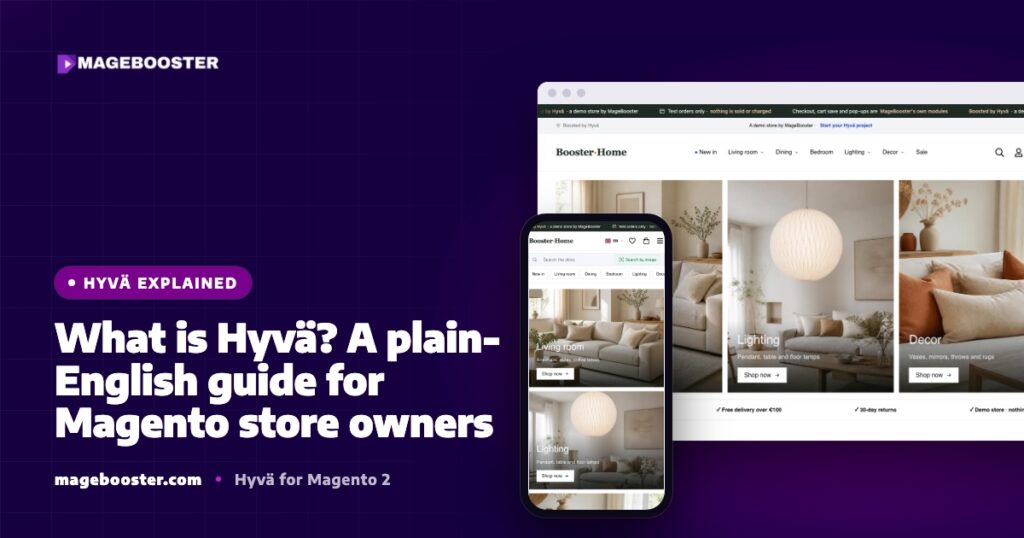
This guide explains what Hyvä actually is, what changes when you adopt it, and what does not. It is written for store owners and managers, not only for developers.
Hyvä in one paragraph
Magento 2 has two halves. The backend holds your products, prices, customers, orders and integrations. The frontend is the storefront that turns that data into pages in a shopper’s browser.
Out of the box, Magento ships with a frontend theme called Luma. Hyvä is an alternative frontend theme that replaces Luma.
It keeps Magento’s backend untouched and rebuilds the storefront with a much smaller, more modern set of tools.
What Hyvä replaces
Luma was designed many years ago, and it carries the frontend technology of that time. A typical Luma page loads a long chain of JavaScript and stylesheets before the shopper can do anything.
Hyvä removes that stack and replaces it with two lighter tools.
| Job | Luma | Hyvä |
|---|---|---|
| Styling | LESS stylesheets | Tailwind CSS |
| Interactivity | KnockoutJS and jQuery widgets | Alpine.js |
| Loading scripts | RequireJS | Not needed |
| Admin, catalogue, orders | Magento 2 | The same Magento 2 |
Tailwind CSS builds only the styles your templates actually use. Alpine.js adds small bits of behaviour, such as opening a menu or switching a product image, directly in the page template.
What stays the same
This is the part that surprises many store owners. Moving to Hyvä is not a replatforming project.
- Your products, categories, attributes and prices stay where they are.
- Your customers, orders and order history stay where they are.
- Your ERP, PIM, marketplace and accounting integrations keep talking to the same Magento backend.
- Your URLs can stay exactly the same, which matters for SEO.
- Your team keeps using the same Magento admin every day.
What changes is how the storefront is built and how fast it reaches the shopper.
Why stores move to Hyvä
The main reason is load. A Hyvä page asks the browser to download and run far less code than a Luma page.
In our own benchmark on the same server and the same catalogue, clean Hyvä pages were around four times lighter than Luma pages. They also made far fewer requests and shipped roughly 18 to 20 times less JavaScript.
You can see the full numbers and the method in our Hyvä vs Luma benchmark.
Less code helps in three practical ways:
- Mobile shoppers. Mid-range and older phones struggle with half a megabyte of JavaScript, even when a lab test looks fine.
- Core Web Vitals. Metrics such as LCP and INP are easier to keep in the green when the browser has less work to do.
- Development speed. Plain templates with Tailwind classes are quicker to change than layers of LESS overrides and Knockout templates.
On a real client store, a German shop selling in 9 countries, our Hyvä build moved the mobile Lighthouse score of the product page from 72 to 94 and the category page from 88 to 95. Those are our measurements on the staging build.
What Hyvä does not fix
Hyvä makes the frontend lighter. It cannot make a slow server fast.
If your hosting is underpowered, your full-page cache is misconfigured or your images are several megabytes each, those problems stay on any theme. A heavy tag manager with many third-party scripts will also slow down a Hyvä store.
That is why we always look at the whole picture first. Our Magento speed optimisation work often starts with the server and the scripts, not the theme.
It is also worth being honest about lab scores. A clean Luma store on a fast server behind a CDN can score well in Lighthouse too. The real difference shows up in page weight and in how real shoppers on real phones experience the store.
The catch: extensions
Most Magento stores run a number of third-party extensions. Many of them include their own frontend code written for Luma, using RequireJS, KnockoutJS or jQuery.
Because Hyvä removes that stack, such frontend code does not work on Hyvä as it is. The backend part of the extension keeps working; it is the storefront part that needs attention.
For many popular extensions, a Hyvä compatibility module already exists. For others, the frontend needs to be ported, or the extension replaced with a better option.
This is why every serious Hyvä project starts with an extension audit. Our Hyvä migration checklist explains how to do that step by step.
Checkout options
Checkout deserves its own decision. Luma’s standard checkout is built with KnockoutJS, so it belongs to the old stack.
There are several routes on a Hyvä store:
- Hyvä Checkout, the official checkout built on Magewire.
- A checkout that stays on Luma for that page only, using Hyvä’s fallback approach, while the rest of the store runs on Hyvä.
- A custom checkout designed around your basket size and markets.
We build Hyvä Checkout projects and also offer our own 2-step, 3-step and one-page checkout templates, each with a custom success page. You can compare them on our Hyvä checkout options.
Is Hyvä right for your store?
Hyvä is usually a strong fit when:
- Your store is on Magento 2 and you plan to stay on Magento.
- A large share of your traffic is mobile.
- Your current theme is hard and slow to change.
- You are planning a redesign anyway.
It needs more planning when you depend on many extensions with heavy frontend code, or on a payment method without a Hyvä-ready integration.
Neither case is a blocker. It simply means the extension audit comes first and shapes the plan.
FAQ
Is Hyvä a new version of Magento?
No. Hyvä is a frontend theme for Magento 2. Your Magento version, admin and data stay the same.
Will my design change when I move to Hyvä?
Only if you want it to. A design can be rebuilt one to one on Hyvä, refreshed, or replaced with a new custom design.
Will I lose my Google rankings?
Not if the move is planned properly. URLs can stay the same, and rendered pages and structured data should be compared with the old store before launch.
Want to know what Hyvä would mean for your own store? See how we plan, build and look after Hyvä stores on our Hyvä theme development page.

 English
 German
 Dutch
Dutch Turkish